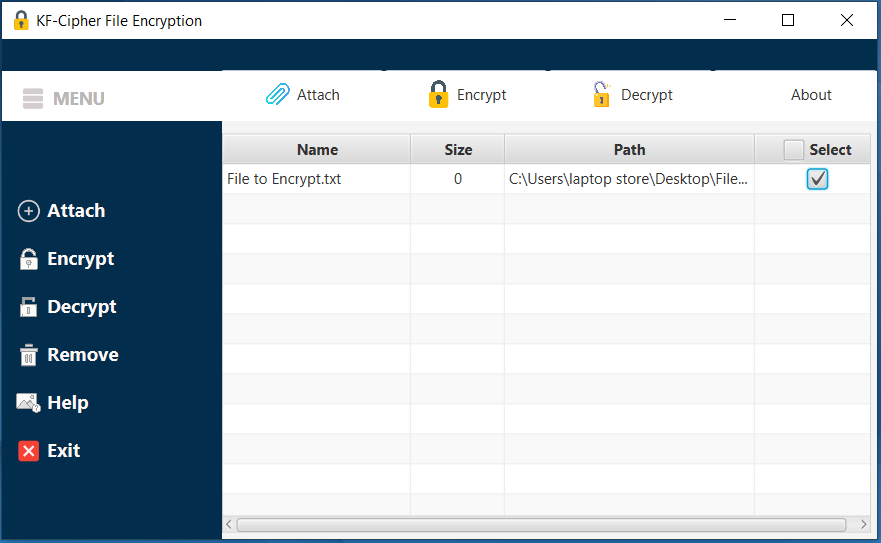
A free, portable desktop application for encrypting and decrypting any file type — securely and offline. No internet required. No installation needed. Just double-click and run.
Java Runtime Environment (JRE) — KF-Cipher is built with Java and requires a JDK or JRE to run. Download the latest free LTS release from Adoptium Temurin.
Operating System — Windows 10/11 (EXE), or any OS with Java installed (JAR). macOS and Linux users should use the .jar file.
Disk Space — Less than 5 MB. KF-Cipher is an ultra-lightweight portable application.
Internet Connection — Not required. All encryption operations run entirely offline on your device.
How to Get Started
1
Download and install Java. Visit Adoptium Temurin and download the latest LTS release for your operating system. Run the installer.
2
Download KF-Cipher using one of the buttons above. Choose the .jar for any OS, or the .exe for Windows.
3
Run the application. KF-Cipher is fully portable — no installation needed. Simply double-click the downloaded file to launch it immediately.
4
Select your file, enter a strong password, choose your AES key length (128/192/256-bit), and click Encrypt. Your file is secured offline in seconds.